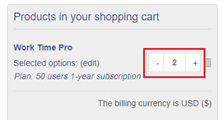
We offer two primary pricing plans:
1) Tiered Subscription (paid once a year), the pricing works per group of users (not per user).
For example, if you have 15 users in your organization, you may choose plan "20 users."
2) Enterprise Plan for unlimited users (paid once a year).
Subscription plans are not recurring once your subscription period expires, so you will not be automatically billed or renewed.
You will receive a renewal notification via email 7 days before your subscription expiration date.
Steps to Purchase Subscription
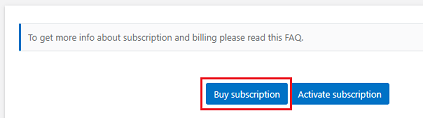
Step 1) Open "Subscription" page under "Administration" section and click "Buy subscription"
Step 2) Select proper subscription plan (e.g. up to 20 users)
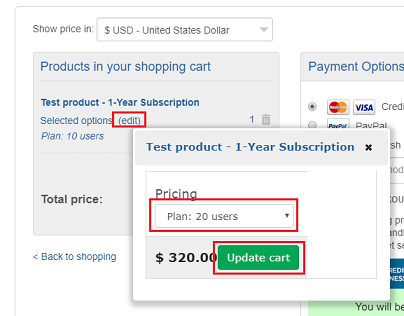
Step 3) Proceed with the payment
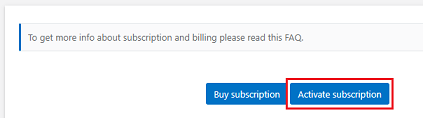
Step 4) After successful payment, you will receive a confirmation to the email address provided on the order form.
Please click on "Activate subscription" and enter email address provided on the order form.
When the Trial period expires, the app is fully functional except for the ability to create new requests. You will not be automatically billed. To transform the Trial version into the full version, you need to purchase a 1-year subscription. All data entered during the Trial period will be saved.
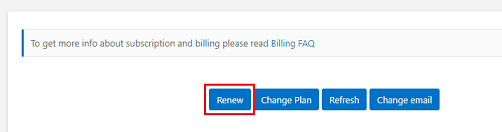
You can renew subscription in the app under Administration->Settings->Subscription.
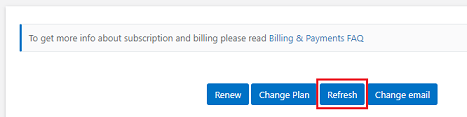
After successful payment, please wait a couple of minutes and click the "Refresh" button to force refresh subscription info.
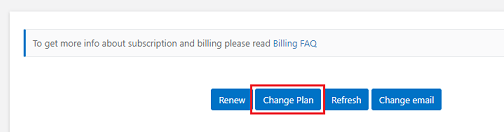
You can change your subscription plan in the app under Administration->Settings->Subscription.
Step 1) Click on button "Change Plan"
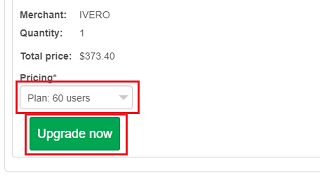
Step 2) Select new plan from drop-down list and click green button "Upgrade now"
Step 3) Proceed with the payment
Step 4) After successful payment, you will receive a confirmation to the email address provided on the order form.
Then please click on the "Refresh" button to refresh subscription details.
If you upgrade to a higher subscription plan, you will only be charged the price difference. For example, upgrading from a 500 USD plan to a 560 USD plan results in an additional charge of 60 USD (applicable taxes may apply based on your country). You can also downgrade to a lower-cost plan at any time. However, we do not provide refunds for downgrades, as refunds are only available within 30 days of the original purchase date.
Our e-commerce platform supports credit cards (Visa, American Express, MasterCard), PayPal, and bank/wire transfers.
After purchasing a product, you will receive an invoice by email. If you do not see it, please check your spam and trash folders. Additionally, you can download your invoice from the Customer Area
No, our pricing does not include taxes. Taxes are automatically added by your e-commerce platform, depending on the location.
Yes. We offer free email support and free updates as long as you use the service. Support includes answering questions related to configuration or technical troubleshooting, the installation and configuration of the app are managed by the customer, as we do not have access to the customer's SharePoint tenant.
The app will remain fully functional except for the ability to create a new request, so you will still have access to all of the data. We will never delete your data or remove the app (the app works on your SharePoint platform and we do not have access to a customer's data).
We have a 30-day refund policy for products sold in the subscription payment model. We do not offer refunds after 30 days from the payment date. To get a refund, please send us an email or use the contact form to contact us.
After successful payment, please wait a couple of minutes and click the "Refresh" button to force refresh subscription info.
To operate more than one production instance of the app, an additional license is required for each instance. The order form allows you to specify the number of licenses needed ((by default it's 1))